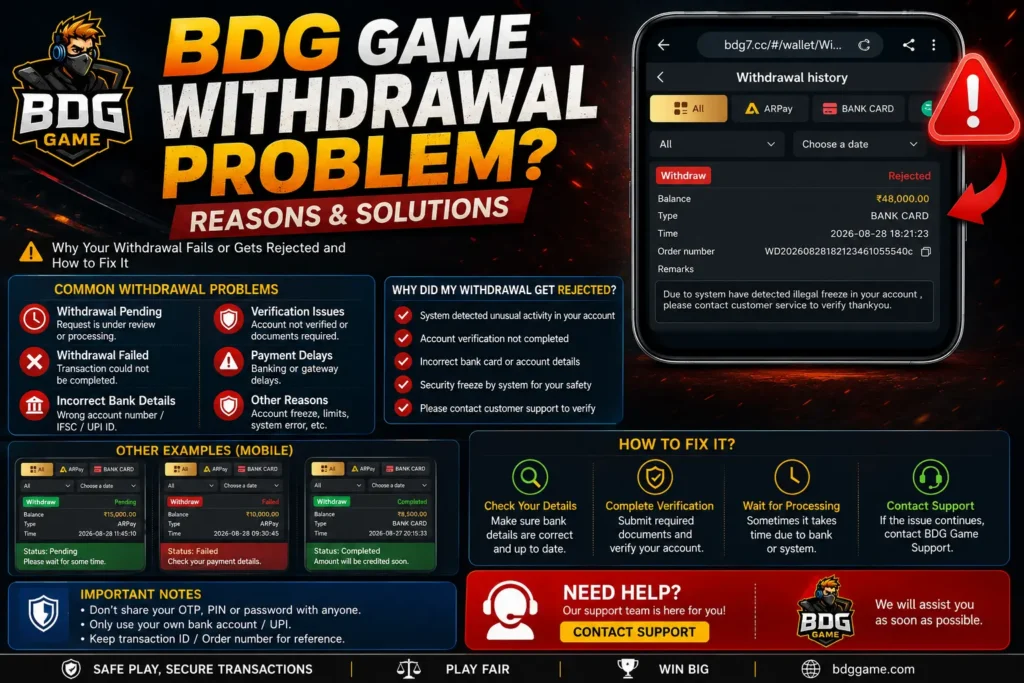
Facing a BDG Game withdrawal problem can be frustrating, especially when your withdrawal shows as pending, fails, or the amount does not appear in your bank account. In many cases, the issue can be related to incorrect payment details, verification checks, banking delays, transaction limits, or temporary technical problems.
This guide explains the most common BDG Game withdrawal problems, what they may mean, and the steps you can take to troubleshoot them.
Common BDG Game Withdrawal Problems
Users may experience different withdrawal-related issues, including:
- BDG Game withdrawal pending
- Withdrawal request failed
- Money deducted from the game wallet but not received
- UPI withdrawal not received
- Incorrect bank account details
- Withdrawal verification problems
- Withdrawal option not working
- Transaction taking longer than expected
The exact processing time and available withdrawal methods can vary, so always check the information displayed inside your current BDG Play account.
1. BDG Game Withdrawal Is Pending
A pending withdrawal generally means the request has not completed yet. Possible reasons can include account verification, payment-provider delays, high transaction traffic, maintenance, or a review of the withdrawal request.
What to Do
First, open your withdrawal history and check the current transaction status.
Then:
- Confirm that the withdrawal request was submitted successfully.
- Check whether additional verification is required.
- Review your bank or UPI details.
- Check for notifications or messages related to the transaction.
- Wait for the processing period shown by the platform.
- Contact support if the transaction remains unresolved after that period.
Do not repeatedly submit the same withdrawal request while an earlier request is still processing.
2. BDG Game Withdrawal Failed
A withdrawal can fail when the payment information is incorrect or the transaction cannot be completed by the selected payment provider.
Common possibilities include:
- Incorrect account number
- Incorrect IFSC information
- Wrong or inactive UPI ID
- Account-holder information mismatch
- Payment-provider restrictions
- Verification not completed
- Transaction or withdrawal limits
- Temporary technical problems
Before trying again, carefully check every payment detail shown in your account.
3. Withdrawal Completed But Money Is Not Received
Sometimes a platform can show a transaction as completed while the receiving bank or payment provider is still processing the transfer.
If this happens, check:
- Your bank statement
- UPI transaction history
- The withdrawal reference/order number
- Transaction date and amount
- Whether the receiving account details are correct
Keep the transaction reference available when contacting customer support. It can help the support team locate the transaction more quickly.
4. Wrong Bank or UPI Details
Incorrect payment details are one of the simplest problems to prevent.
Before submitting a withdrawal, carefully verify:
Bank Transfer
- Account holder name
- Account number
- IFSC code
- Selected bank
UPI
- Correct UPI ID
- Active UPI account
- Correct account holder information
Never share your UPI PIN, banking password, OTP, or other confidential security information with another person claiming to be support.
5. BDG Game Withdrawal Verification Problem
Some transactions may require additional account verification. If your account has a verification request, complete it through the platform’s legitimate account or support interface.
Make sure the information you provide is accurate and belongs to you.
If you are asked to send sensitive financial credentials or your UPI PIN to someone through Telegram, WhatsApp, or another unofficial channel, do not provide them.
6. What If the Withdrawal Has Been Delayed?
Do not immediately assume that a delayed transaction means the money has been lost.
Start by checking the transaction status and the processing time frame provided by the platform. Banking interruptions, payment-provider issues, weekends, holidays, technical maintenance, or verification checks can affect processing times.
If the stated processing period has passed, contact the platform’s support team and provide:
- BDG account ID
- Withdrawal amount
- Withdrawal date
- Transaction/order number
- Current withdrawal status
- Relevant bank or UPI transaction reference
Never publish your complete bank account number, OTP, UPI PIN, password, or other sensitive information in a public comment or social-media post.
How to Avoid BDG Game Withdrawal Problems
You can reduce common errors by following a few basic precautions:
Keep Payment Details Updated
Before requesting a withdrawal, make sure your selected bank or UPI information is correct.
Check Transaction Status
Always look at your withdrawal history before creating another request.
Avoid Duplicate Requests
If one withdrawal is already processing, avoid repeatedly submitting additional requests for the same amount.
Use Supported Payment Methods
Only use the payment methods currently displayed and supported inside your account.
Keep Transaction Records
Save the withdrawal order number, transaction reference, date, and amount until the transaction has been successfully resolved.
BDG Game Withdrawal Problem
If your withdrawal is not working, check these points:
✓ Is the withdrawal still showing as pending?
✓ Are your bank or UPI details correct?
✓ Is your account verification complete?
✓ Has the platform’s stated processing period passed?
✓ Did your bank or UPI provider report a failed transaction?
✓ Do you have the withdrawal order/reference number?
✓ Have you contacted support through the platform’s legitimate support channel?
Frequently Asked Questions
Why is my BDG Game withdrawal pending?
A withdrawal may remain pending because of processing, verification, banking, payment-provider, or technical issues. Check the transaction status and wait for the processing time frame provided by the platform.
Why did my BDG Game withdrawal fail?
Possible causes include incorrect bank or UPI details, verification issues, payment-provider restrictions, transaction limits, or temporary technical problems.
What should I do if my withdrawal is completed but I haven’t received the money?
Check your bank or UPI transaction history first. Keep the withdrawal reference number and contact the platform’s support team if the amount remains missing after the applicable processing period.
Can an incorrect UPI ID cause a withdrawal problem?
Yes. An incorrect or inactive UPI ID can prevent a payment from reaching the intended account.
Should I submit another withdrawal if the first one is pending?
It is generally better to check the status of the existing request first rather than creating duplicate requests.
Final Thoughts
A BDG Game withdrawal problem can have several causes, from incorrect payment information to verification or banking delays. The best things is to check your withdrawal history, verify your payment details, keep your transaction reference, and use the platform’s legitimate support channel when the issue continues.
Most importantly, never share your OTP, UPI PIN, password, or banking details with anyone claiming they can release or process your withdrawal.